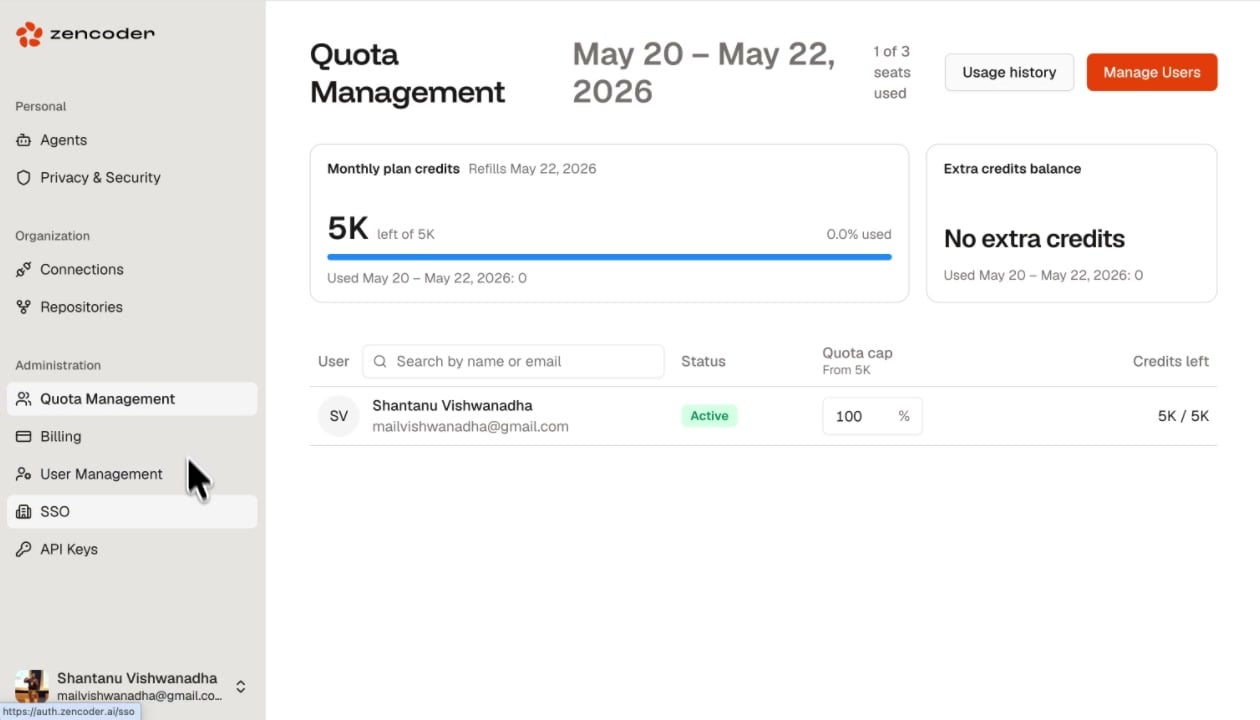
Quota Management gives admins full visibility into credit consumption and control over how credits are distributed across team members. Quota Management page showing monthly plan credits, extra credits balance, billing period, seats used, and per-user table

Credit Overview

The top section shows two cards: The billing period and usage window are displayed at the top (e.g., May 20 - May 22, 2026), along with the number of seats used (e.g., 1 of 3 seats used).

Per-User Quotas

The user table shows each team member with:

Setting Quota Caps

Adjust the Quota cap percentage to control how much of the organization’s total credits each user can consume. For example, setting a user to 20% on a 5K plan limits them to 1K credits. Quota Management showing a warning when per-user caps don't sum to 100% with a Distribute evenly button
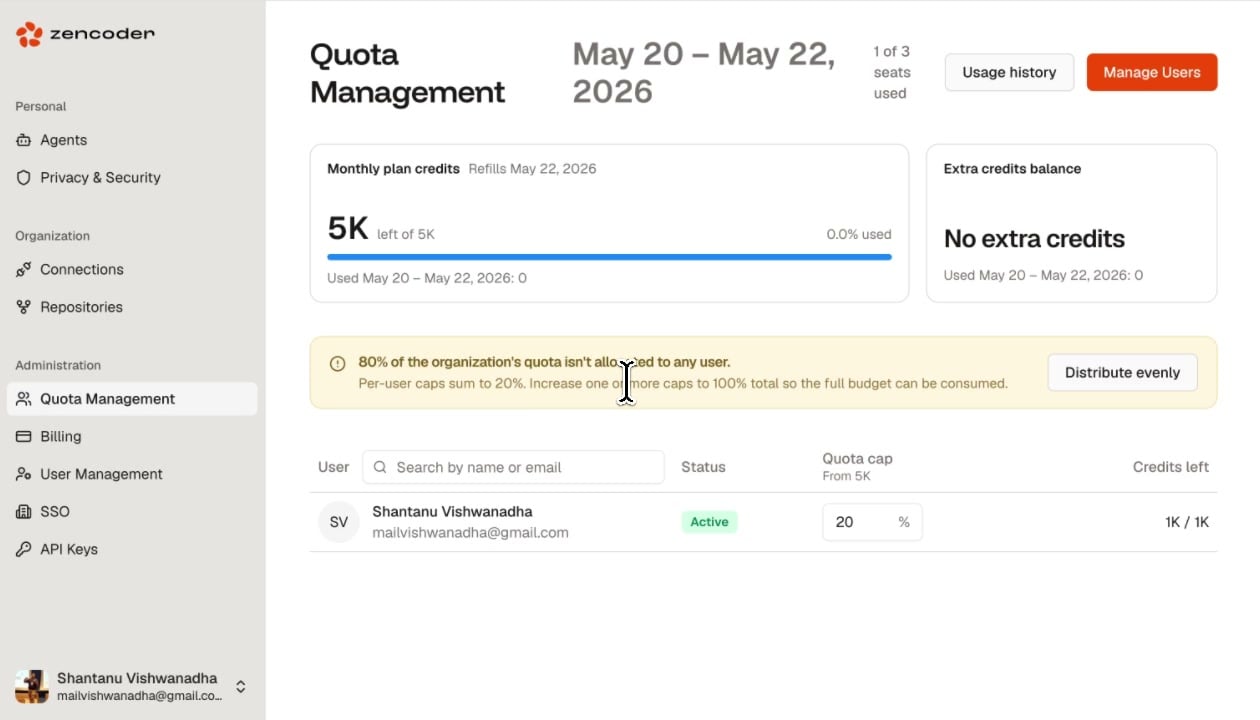
If per-user caps don’t sum to 100%, a warning appears: the unallocated portion of your budget won’t be consumable. Click Distribute evenly to automatically split credits equally across all users.

Quick Actions