

Overview
Zencoder has a model selector in the chat input. Use the dropdown to pick which LLM runs your messages. The options you see depend on your plan and entitlements.- Model choices may differ by plan; higher plans unlock additional models
- Select the model that fits your task from the selector
Available models (subject to change)
The Auto model routes across a tuned mix of self-hosted and vendor models for the best balance of speed, quality, and cost.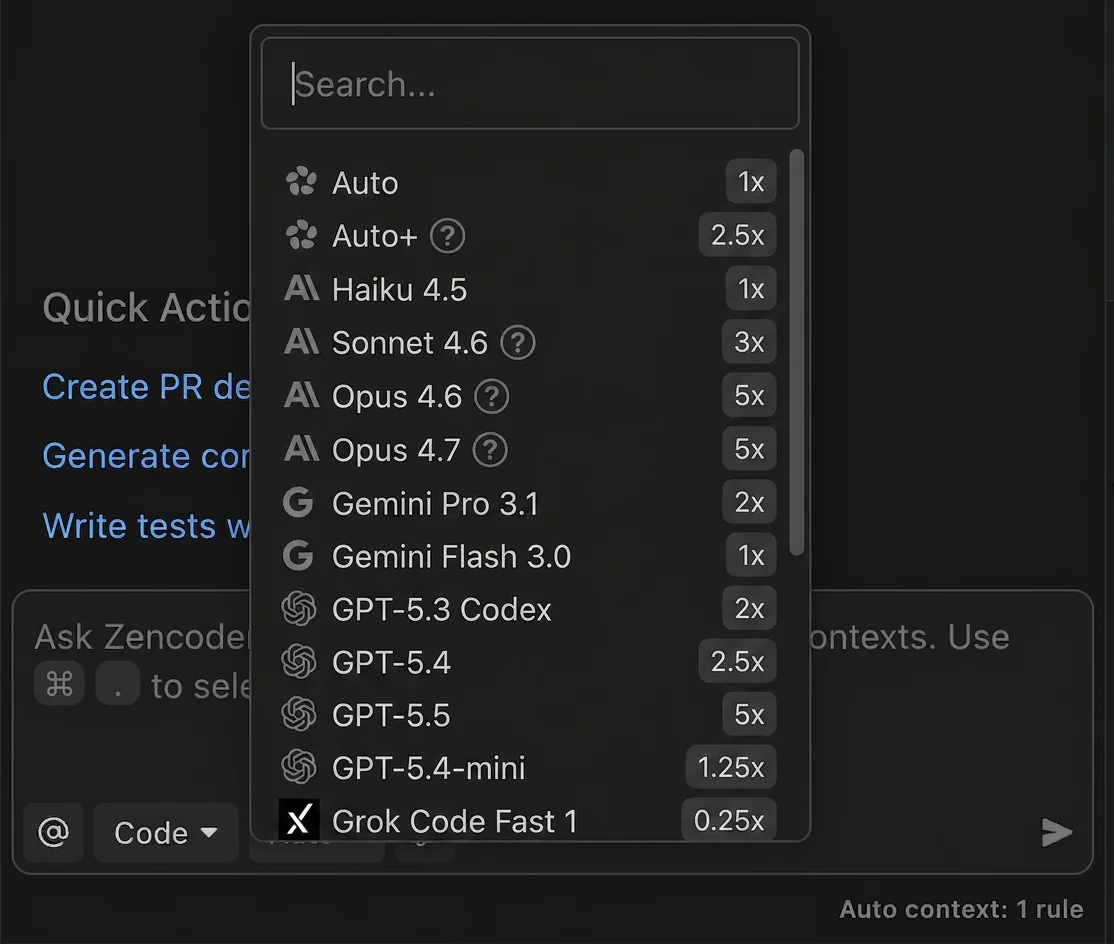
| Model | Provider | Multiplier | Plan Requirements |
|---|---|---|---|
| Auto | Zencoder | 1× | All plans |
| Auto+ | Zencoder | 2.5× | All plans |
| Haiku 4.5 | Anthropic | 1× | Pro, Pro Plus, Pro Max |
| Sonnet 4.6 | Anthropic | 3× | Pro, Pro Plus, Pro Max |
| Opus 4.6 | Anthropic | 5× | Pro Plus, Pro Max |
| Opus 4.7 | Anthropic | 5× | Pro Plus, Pro Max |
| Gemini Pro 3.1 | 2× | All plans | |
| Gemini Flash 3.0 | 1× | All plans | |
| GPT-5.3 Codex | OpenAI | 2× | Pro, Pro Plus, Pro Max |
| GPT-5.4 | OpenAI | 2.5× | Pro, Pro Plus, Pro Max |
| GPT-5.5 | OpenAI | 5× | Pro Plus, Pro Max |
| GPT-5.4-mini | OpenAI | 1.25× | Pro, Pro Plus, Pro Max |
| Grok Code Fast 1 | xAI | 0.25× | All plans |
Cost multipliers and credits
Zencoder measures usage in credits. Some models use a multiplier to reflect provider costs or parallel reasoning. See the table above and the screenshot for current multipliers.Plan-based availability
Not all plans have access to all models. The selector shows what your current plan can use. If you recently upgraded but don’t see expected options, restart your IDE to refresh entitlements.- Pro, Pro Plus, and Pro Max plans: Full model selector with all available models
- Free plan: Access to Auto, Gemini Flash 3.0, and Grok Code Fast 1
Bring Your Own Key (BYOK)
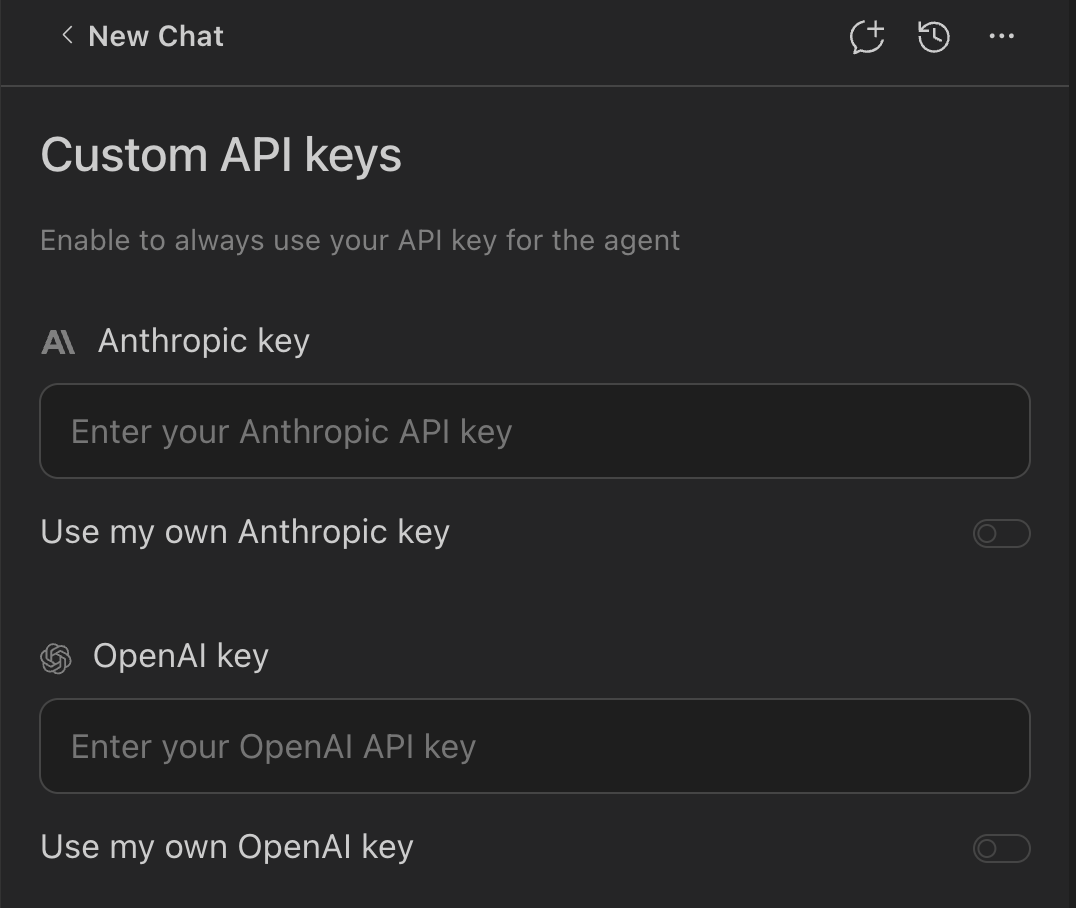
You can use your own API key for certain providers. This is useful if you:- Want to bypass credit consumption for those requests
- Prefer billing directly with the provider
BYOK is currently available on all plans, including Free, Pro, Pro Plus, Pro Max, and Enterprise.
Enable BYOK
When to switch models
- Use the Auto model for most coding tasks - it balances speed, quality, and cost
- Use the Auto+ for superior performance on complex tasks (2.5× multiplier)
- Use Haiku 4.5 for a fast and cost-efficient option (1× multiplier)
- Use Grok Code Fast 1 when you need the most cost-efficient option (0.25× multiplier)
- Use GPT-5.4-mini for cost-efficient code generation (1.25× multiplier)
- Use Gemini Pro 3.1 for high-quality performance with balanced capability (2× multiplier)
- Use Sonnet 4.6 for spec-driven development tasks requiring persistent state tracking and parallel execution
- Use GPT-5.5 for specialized code generation tasks (Pro Plus and Pro Max plans, 5× multiplier)
- Use Opus 4.6 for challenging tasks requiring high capability (Pro Plus and Pro Max plans, 5× multiplier)
- Use Opus 4.7 (Pro Plus and Pro Max plans) for the most complex reasoning tasks, keeping the 5× multiplier in mind
Heavier reasoning models may produce better results on difficult tasks but at higher credit consumption. Keep separate chats for different experiments to maintain clarity.
Troubleshooting
I don't see the model selector
I don't see the model selector
Make sure you’re on the new plans. Sign out/in to refresh entitlements.
My plan changed but the model list didn't update
My plan changed but the model list didn't update
Restart your IDE after signing back in.
BYOK isn't being used
BYOK isn't being used
Confirm you selected a model that matches the provider whose key you added, and that the key is valid/active.
Related
Pricing & Plans
Learn how credits and usage-based billing work
Coding Agent
See how models are applied in the full agentic workflow