

What Zenflow Code Is
Zenflow Code is an advanced standalone desktop application built for software engineers who want to supercharge their workflows using AI coding agents. Unlike simple autocomplete extensions, Zenflow Code works directly within your codebase to execute complex multi-file engineering tasks — such as implementing large features, refactoring components, fixing bugs, and writing tests.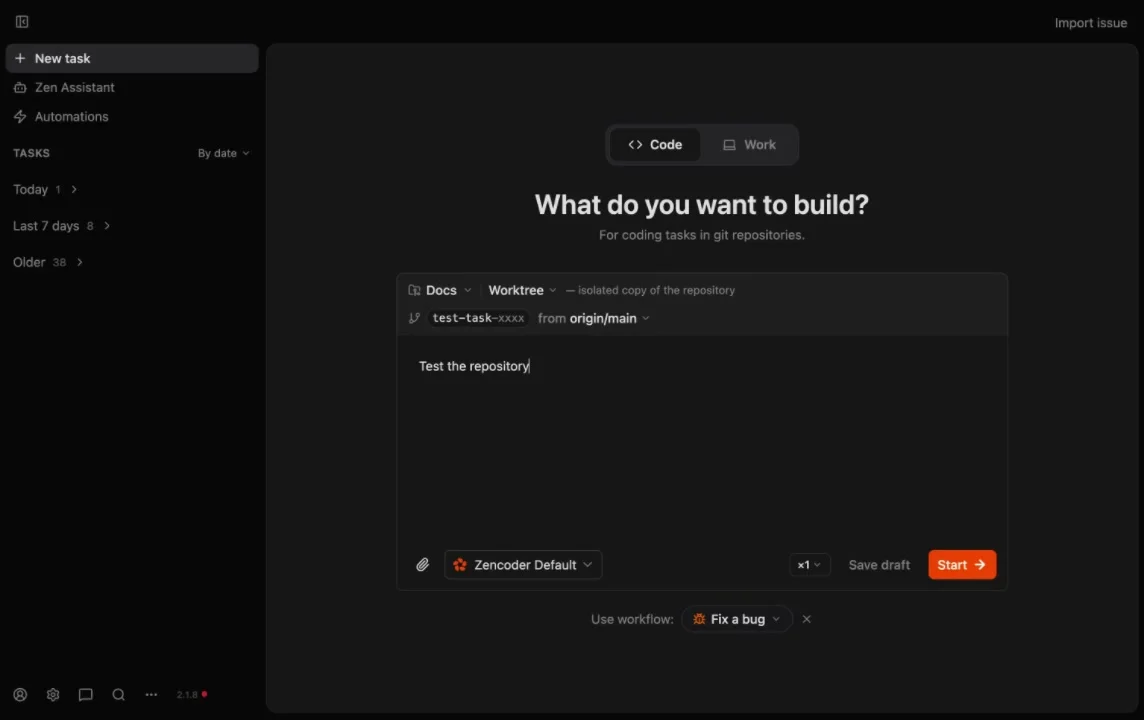
Core Capabilities
Projects & Tasks
Configure repository settings, default co-pilot presets, and create outcome-based engineering tasks.
Git Worktrees
Isolate every agent task in a dedicated Git worktree so your active development branch remains completely untouched.
Tracking Changes
Inspect file diffs, view compiler and linter outputs, and manage agent checkpoints with human-in-the-loop reviews.
Multi-Agent Orchestration
Define multi-model pipelines to use specialized models for planning, coding, and review.
Built-in Browser
Allow agents to test frontend changes, run end-to-end tests, and capture screenshots in local browser sessions.
VPS Setup
Configure a remote Virtual Private Server to run intensive agent builds and tests off of your local machine.
How It Works
Zenflow Code implements Spec-Driven Development (SDD) and other specialized execution pipelines to keep agent output highly structured:- Describe Task: You define a clear, outcomes-oriented prompt outlining what needs to be accomplished.
- Plan & Spec: The agent analyzes your repository structure, creates a technical specification, and requests your approval before writing code.
- Isolate & Implement: Zenflow spawns a background Git worktree to check out a new branch and start the coding phase.
- Automated Verification: After the agent completes its work, Zenflow automatically executes your repository’s verification scripts (linters, type-checkers, test suites) to find any regression or error.
- Review & Merge: You review the final diff in Zenflow’s side-by-side comparison screen and merge the branch directly to GitHub.
Next Steps
To set up Zenflow Code in your workspace, follow the step-by-step installation and onboarding guide:Zenflow Code Quickstart
Install the desktop application, select default co-pilots, and run your first codebase task in 5 minutes.