Skills are folders of instructions, scripts, and resources that agents can discover and use to perform tasks more accurately and efficiently. They provide procedural knowledge and context that agents can load on demand.

Why Skills?

Agents are increasingly capable, but often lack the context needed to do real work reliably. Skills solve this by giving agents access to:
  • Domain expertise: Specialized knowledge packaged into reusable instructions
  • New capabilities: Extended functionality like creating presentations, building MCP servers, or analyzing datasets
  • Repeatable workflows: Consistent, auditable multi-step task execution
  • Organizational knowledge: Team and company-specific context in portable, version-controlled packages

How Skills Work in Zencoder

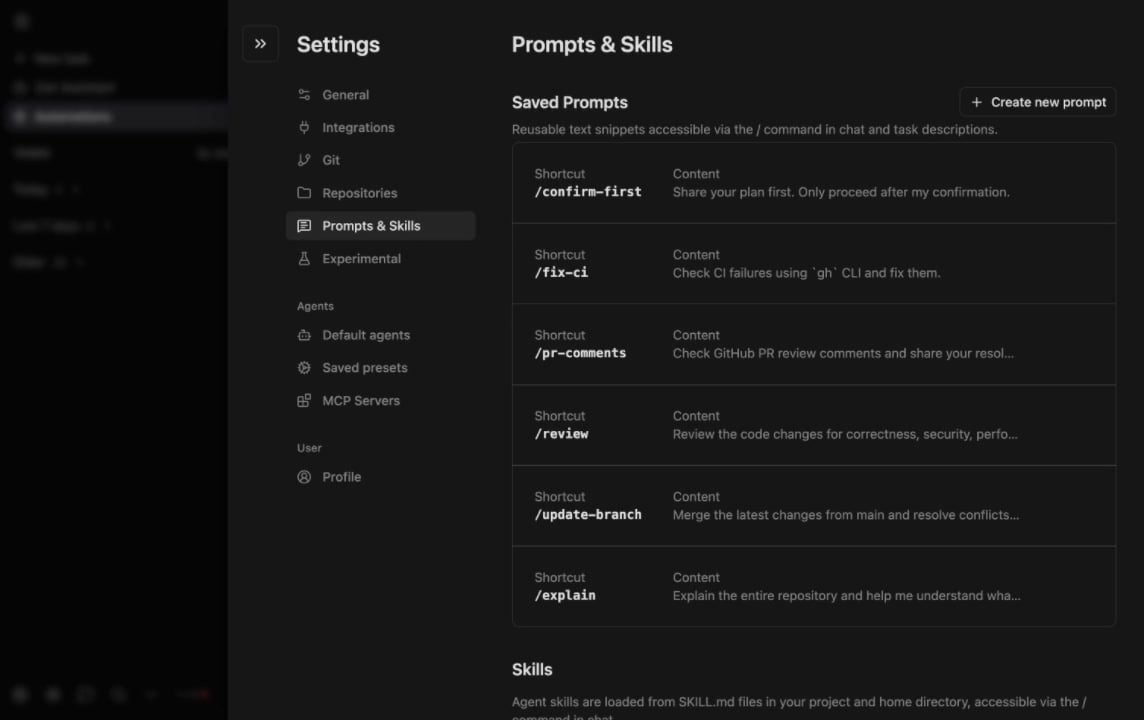
Zencoder automatically discovers and loads skills from these locations:
LocationScope
<workspace>/.agents/skills/Project-specific skills
<user-home>/.agents/skills/User-level skills
<workspace>/.claude/skills/Claude-compatible skills
The agent decides which skill to use based on the skill’s description and the current task context. Skills are available in both Zenflow and Zencoder IDE Agents.
Skills are automatically selected by the agent based on task context. Manual skill selection is not currently supported.
The legacy .zencoder/skills/ path is deprecated but still supported. We recommend migrating to .agents/skills/ to stay aligned with the current standard.

Skill Structure

A skill is a folder containing a SKILL.md file with metadata and instructions:
.agents/skills/
└── my-skill/
    ├── SKILL.md          # Required: skill definition
    ├── scripts/          # Optional: automation scripts
    └── resources/        # Optional: templates, examples

Creating a Skill

Create a SKILL.md file in your skills folder:
---
name: Code Review Assistant
description: Helps perform thorough code reviews following team standards
---

# Code Review Assistant

## Instructions
When reviewing code, follow these steps:
1. Check for security vulnerabilities
2. Verify error handling patterns
3. Ensure test coverage requirements are met
...

SKILL.md Frontmatter Reference

FieldRequiredDescription
nameYesHuman-readable name for the skill
descriptionYesWhat the skill does — the agent uses this to decide when to load it
pathsNoGlob patterns to scope the skill to specific files (e.g., src/api/**)
licenseNoLicense identifier (e.g., MIT)
disable-model-invocationNoSet to true to prevent the agent from auto-selecting this skill
The description field is critical — write it as a clear trigger condition. For example: “Use this skill when the user asks to create or modify API endpoints” is more effective than “API helper skill.”

Example Skills

A skill that enforces your team’s review standards on every code review request.
---
name: PR Review Checklist
description: Use when reviewing pull requests or performing code reviews
---

# PR Review Checklist

## Instructions
When reviewing code changes:
1. Check for security vulnerabilities (SQL injection, XSS, auth bypasses)
2. Verify error handling — all async calls should have try/catch
3. Ensure new functions have corresponding unit tests
4. Flag any hardcoded secrets, API keys, or credentials
5. Check that naming conventions match the project's standards
6. Verify backward compatibility for public API changes
A skill that generates migration files following your ORM’s conventions.
---
name: Database Migration Generator
description: Use when creating database migrations, schema changes, or model updates
paths:
  - src/db/**
  - prisma/**
---

# Database Migration Generator

## Instructions
When generating migrations:
1. Use the project's ORM (check for Prisma, Drizzle, or TypeORM in package.json)
2. Always create both up and down migrations
3. Add data backfill scripts when renaming or removing columns
4. Include an index for any new foreign key column
5. Name migration files with timestamp prefix: YYYYMMDDHHMMSS_description
A skill that creates REST endpoints following your team’s patterns.
---
name: API Endpoint Builder
description: Use when creating new API routes, endpoints, or controllers
paths:
  - src/api/**
  - src/routes/**
---

# API Endpoint Builder

## Instructions
When creating API endpoints:
1. Follow the existing route structure in src/api/
2. Include input validation using the project's validation library
3. Add OpenAPI/Swagger annotations for documentation
4. Create corresponding integration tests in __tests__/api/
5. Use the standard error response format: { error: string, code: number }
6. Add rate limiting middleware for public endpoints

Skills vs AI Agents

SkillsAI Agents
What it isInstruction package the agent loads on demandA named agent with specific tools and instructions
When it activatesAgent decides based on task matchUser selects it explicitly
Best forProcedural workflows, domain expertiseRecurring interactive tasks
Stored in.agents/skills/Zencoder UI (shareable)

Tips for Effective Skills

The agent matches skills to tasks based on the description. Be explicit: “Use when the user asks to generate unit tests for React components” works better than “Testing helper.”
If a skill only applies to your API layer, add paths: [src/api/**] so it doesn’t activate for frontend tasks.
Show the agent what good output looks like. A “before and after” example in the instructions is worth more than a paragraph of explanation.
Keep skills in your repo (.agents/skills/). They evolve with your codebase and benefit from code review like any other file.
Learn More

Skills follow an open standard developed by Anthropic and adopted by leading AI development tools. For the complete specification and examples, see the Agent Skills documentation.