> ## Documentation Index
> Fetch the complete documentation index at: https://docs.zencoder.ai/llms.txt
> Use this file to discover all available pages before exploring further.
# Zenflow Code
> Orchestrate AI coding agents inside your local codebase with Git worktrees, automated verification scripts, and multi-agent pipelines.
## What Zenflow Code Is
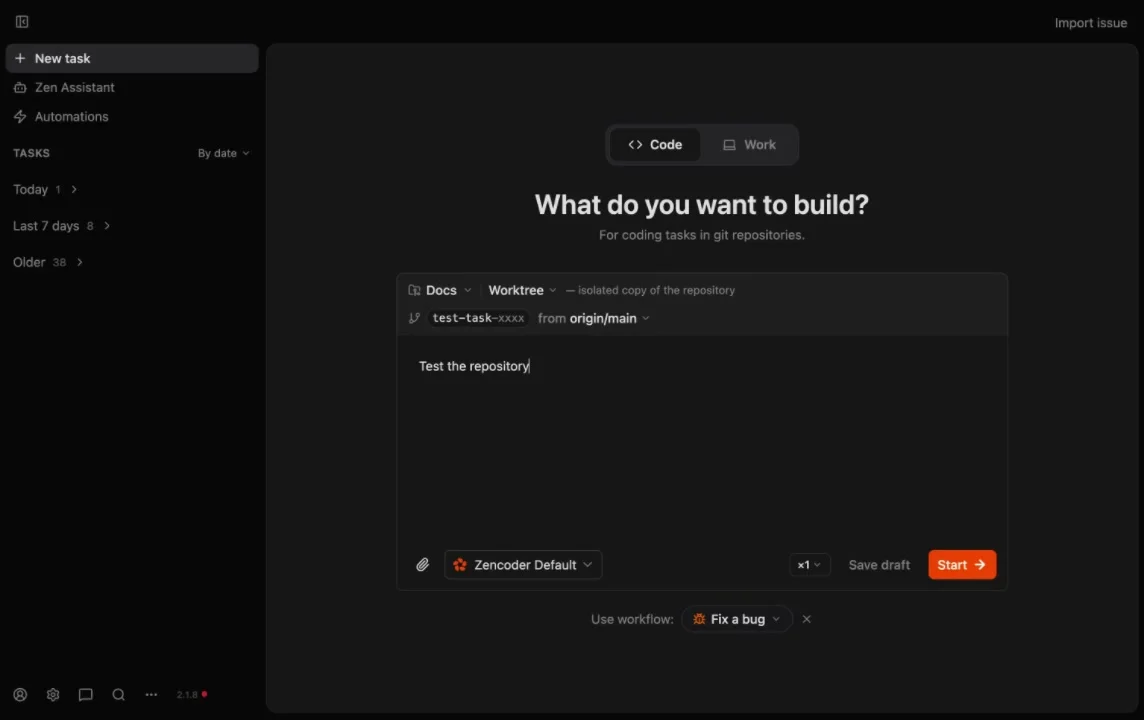
**Zenflow Code** is an advanced standalone desktop application built for software engineers who want to supercharge their workflows using AI coding agents. Unlike simple autocomplete extensions, Zenflow Code works directly within your codebase to execute complex multi-file engineering tasks — such as implementing large features, refactoring components, fixing bugs, and writing tests.
Zenflow Code provides a highly structured environment that keeps AI co-pilots on track and ensures all changes are thoroughly validated before being merged into your main repository.
***
## Core Capabilities
Configure repository settings, default co-pilot presets, and create outcome-based engineering tasks.
Isolate every agent task in a dedicated Git worktree so your active development branch remains completely untouched.
Inspect file diffs, view compiler and linter outputs, and manage agent checkpoints with human-in-the-loop reviews.
Define multi-model pipelines to use specialized models for planning, coding, and review.
Allow agents to test frontend changes, run end-to-end tests, and capture screenshots in local browser sessions.
Configure a remote Virtual Private Server to run intensive agent builds and tests off of your local machine.
***
## How It Works
Zenflow Code implements **Spec-Driven Development (SDD)** and other specialized execution pipelines to keep agent output highly structured:
```mermaid theme={"system"}
flowchart TD
Task[1. Describe Task] --> Plan[2. Plan Phase]
Plan --> Spec[3. Create/Verify Tech Spec]
Spec --> Code[4. Implement Code]
Code --> Verify[5. Run Verification Scripts]
Verify --> Review[6. Human Code Review]
Review --> Merge[7. Merge PR]
```
1. **Describe Task**: You define a clear, outcomes-oriented prompt outlining what needs to be accomplished.
2. **Plan & Spec**: The agent analyzes your repository structure, creates a technical specification, and requests your approval before writing code.
3. **Isolate & Implement**: Zenflow spawns a background Git worktree to check out a new branch and start the coding phase.
4. **Automated Verification**: After the agent completes its work, Zenflow automatically executes your repository's [verification scripts](/zenflow/projects-and-tasks) (linters, type-checkers, test suites) to find any regression or error.
5. **Review & Merge**: You review the final diff in Zenflow's side-by-side comparison screen and merge the branch directly to GitHub.
***
## Next Steps
To set up Zenflow Code in your workspace, follow the step-by-step installation and onboarding guide:
Install the desktop application, select default co-pilots, and run your first codebase task in 5 minutes.